May 21, 2026·Nataliia Rumiantsewa· 9 min read All posts
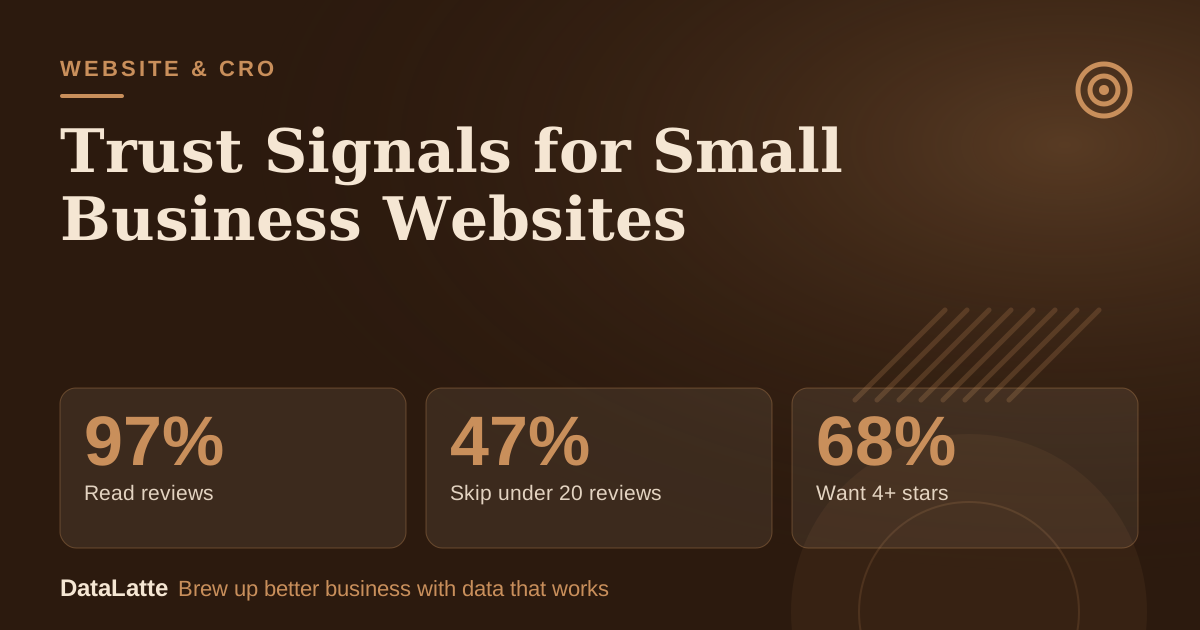
Here is a number that should change how you look at your homepage. In BrightLocal's 2026 Local Consumer Review Survey, 47% of US consumers said they will not use a business with fewer than 20 reviews, and 68% will only use one rated four stars or higher.
Your website is rarely the first thing a stranger sees, but it is the place where they decide whether to ring, book or walk away. If it does not back up what they saw on Google, they leave.
This guide is for local business owners in the US, UK, Australia and Canada: cafes, salons, groomers, studios, trades. It separates trust signals with evidence behind them from the ones that are decoration, and tells you exactly where to place each. Most survey figures below are US-based; treat them as directional elsewhere.
What the Evidence Says
BrightLocal surveyed 1,002 US adults in early 2026. These are the figures that matter for a small business site:
97%→
Read reviews
BrightLocal 2026
47%→
Skip under 20 reviews
BrightLocal 2026
68%↑
Want 4+ stars
BrightLocal 2026
74%→
Want reviews from last 3 months
BrightLocal 2026
See Sources at the end of the article. Cards marked Assumption are examples, not results.
A few more from the same survey: 41% now "always" read reviews when browsing (up from 29% in 2025), 31% will only use a business rated 4.5 or higher (up from 17%), and the single most important factor was consistent sentiment across reviews, cited by 56%.
On owner replies, 89% expect a business to respond to reviews, 80% are likely to use one that replies to all of them, and 50% are put off by templated, generic replies.
Two cautions. BrightLocal sells review-management software, so read its framing with that in mind, and it is a US sample. But the direction is hard to argue with: people check, and they check recent, consistent evidence.
The Trust Signals Worth Your Time, in Order
1. Reviews, placed where the decision happens
Reviews are the signal with data behind it, so start here.
Show a rating summary and two or three recent reviews above your main button, not on a separate testimonials page. Recency matters: 74% of BrightLocal respondents only consider reviews from the last three months.
Use real names (or first name and initial) and the service, with permission. "Fixed my boiler same day, tidy and on time" beats "Great service!"
Do not hide the imperfect ones. Consistency is what people rate highest, not perfection. A 4.7 with honest replies reads as real; a wall of identical five-star lines does not.
Reply to reviews in your own words. Templated replies put off half of respondents.
Embed live reviews or link to the originals. Widget tools such as Elfsight, EmbedSocial and Trustindex exist for this; check each vendor's current pricing page rather than relying on a figure from an article.
Rules you cannot skip. The US FTC's rule on consumer reviews and testimonials has been in effect since October 21, 2024. Its published Q&A says a business that puts testimonials on its own website is disseminating them, so fake or false ones can expose you.
The rule also bans paying for reviews, and the FTC's announcement lists AI-generated fake reviews. Google's contribution policy bans incentivised reviews (discounts or free goods in exchange for a review) and review gating, meaning selectively soliciting only positive reviews.
UK, Australian and Canadian regulators have their own rules; the safe approach is the same everywhere: ask every customer, pay no one, write nothing yourself.
Put your address, phone number and opening hours in the header or footer of every page, with a map on the contact page. Keep them identical to your Google Business Profile, character for character. Mismatches create doubt for people and muddy things for search engines. This is my recommendation rather than a measured effect, but it costs nothing and takes ten minutes. The Google Business Profile checklist covers consistency.
3. Real people and real places
Use photos of your actual storefront, team and work. Be honest about the evidence here: the research is mixed.
A controlled study by Riegelsberger and Sasse on e-commerce sites found that, averaged across sites, neither the presence of a photo nor the apparent trustworthiness of the person had a significant effect, and the authors advised caution about relying on photos to boost trust. So do not expect a headshot to rescue a weak offer.
Use real photos because they help people recognise your shop when they arrive, show what the service actually looks like, and avoid the obvious stock-image tell. Name your team and say what each person does. Our About page guide shows how.
4. Prices and policies in plain language
You do not need a full price list. Give honest ranges, say what changes the price, and state cancellation, late and refund rules in a sentence or two near the booking button. People hesitate over what they cannot predict. See pricing page examples.
5. Credentials people can check
Show licences, insurance, memberships and awards only if they are real, and link to the issuing body so the claim can be verified. Name the year and who awarded it.
6. Technical basics: HTTPS and speed
HTTPS is the baseline, and many hosts include a certificate at no extra charge (check yours). Our HTTPS guide walks through it. A slow or broken mobile page undermines every other signal; see how fast your site should load.
Badges: Mostly Noise, With One Exception
Baymard Institute's 2025 checkout study (1,026 US adult internet users) found 19% had abandoned a checkout in the previous three months because they "didn't trust the site with their credit card information." That is real, but it is a checkout problem for businesses taking payments online.
Baymard's 2023 research on trust seals is more interesting. According to its write-up, most of the top-ranked seals were trust seals verifying business legitimacy rather than SSL seals showing encryption, and a homemade seal with no third-party backing outperformed most established SSL vendor seals.
Baymard does not state that study's sample size on that page, and perceived trust in a survey is not the same as extra sales in a live test. My reading: do not pay for a stack of badges.
If you take payments, show the real payment logos you accept near checkout, and run a clean, professional payment form. If you do not take payments online, skip security badges entirely.
Where to Put Each Signal
Spot
Put here
Homepage hero
Rating summary and one recent review, one clear promise
Next to the booking or call button
Short review, cancellation line, "no payment today" if true
Service pages
Photos of that service, price range, relevant credential
Contact page
Address, map, hours, phone, a named person
Footer
Address, phone, licence number, policies
Checkout (if any)
Payment logos you really accept, refund terms
Signals That Backfire
Invented numbers such as "10,000 happy customers". If you cannot back the number up, it is a liability, not a flourish.
"As seen in" logos for outlets that never featured you.
Rows of generic badges that push your offer below the fold on a phone.
Auto-playing video or audio.
The Math
How much is a trust fix worth? Here is a worked example. Every figure is an assumption for illustration, not a benchmark. Replace them with your own analytics numbers.
Before
After
Monthly website visitors (assumption)
1,500
1,500
Visitors who book or call (assumption)
2.0%
2.6%
New enquiries
30
39
Enquiry to paying customer (assumption)
50%
50%
New customers
15
19.5
Average first-visit value (assumption)
$80
$80
Extra monthly revenue
$360
A 0.6-point lift is modest and not guaranteed; plenty of sites will see nothing. The point is the arithmetic: at 1,500 visitors, every extra 0.1 point of conversion is 1.5 enquiries a month. If you pay for traffic, the same lift cuts your cost per enquiry without touching the ad account.
Measure before and after using call clicks and form submissions, as set up in GA4 for small business, and change one thing at a time.
A Trust Signal Is a Promise You Keep
Every claim on the page is a promise someone will check on arrival. If the sign says open until 6 and the door is locked at 5:30, no badge will repair that.
Do This Today
Open your site on your phone. Can you find the phone number, address and hours without scrolling or searching? If not, move them into the header.
Pull your best three recent Google reviews (with permission for names) and place them directly above your main booking button.
Compare your address, phone and hours with your Google Business Profile. Fix any difference, however small.
Replace every stock photo on your homepage and service pages with a real one, and add names and roles for your team.
Add one plain-language sentence about cancellation or refunds beside the booking button, then start a note of your current call and form numbers so you can compare in a month.
FAQ
Q: What is the single most effective trust signal for a local business website?
A: Recent, consistent Google reviews placed next to your booking or call button. BrightLocal's 2026 survey found 97% of consumers read reviews, and consistent sentiment across reviews was the top factor, cited by 56%.
Q: Do trust badges increase conversions?
A: Evidence is thin. Baymard found business-verification seals ranked above encryption seals in perception tests, but that measures how people feel, not sales. Show real payment logos at checkout and skip generic "100% secure" graphics.
Q: How many reviews do I need before showing them?
A: There is no universal number, but BrightLocal reports 47% of US consumers will not use a business with fewer than 20 reviews. Show what you have, and work towards 20 genuine ones.
Q: Can I show my Google reviews on my own site?
A: Yes, through a widget or by linking to your listing. Show real reviews as written. Under the FTC's Q&A, testimonials on your own site are your responsibility.
Q: Is it okay to offer a discount for a review?
A: No. Google's policy bans offering payment, discounts or free goods in exchange for reviews, and the FTC rule bans paying for them.
Local marketing strategist with 10+ years at global agencies — OMD, Dentsu, GroupM, and BBDO. Now helping small businesses get the same data-driven edge. Based in Europe, working with clients in the US, UK, Australia, and beyond.