AI customer service for a small business is a chatbot or messaging assistant that answers routine questions, such as opening hours, prices, service areas and booking requests, at any time of day. Anything that needs judgment, such as a complaint or a refund, gets passed to a person. For most small businesses it works best on website chat, social messages and texts rather than phone calls. The real gain is not replacing staff but clearing the repetitive queue so people can handle bookings, problems and repeat customers. This guide covers what to automate, what it costs, how to set it up, and when a human has to step in.
What should AI customer service handle, and what should stay with staff?
The best candidates are questions with fixed answers. Opening hours, location, service area, typical price ranges, cancellation rules and whether a time slot is free all fit this pattern. The answer is the same for every customer, so a bot can give it correctly without judgment.
Keep the bot's answers identical to your public listings. Google says most businesses verify their profile by phone, SMS or a postcard, and a business without a storefront can still have a Business Profile if it has in-person contact with customers, such as service-area businesses that visit or deliver (
Google Business Profile support). If the bot says you are open Saturday and your profile says otherwise, the mismatch creates the complaints you were trying to avoid.
Complaints, refunds, disputes and emotionally charged messages should stay with a person, as should quotes for unusual jobs. Analysts expect automation to take on more of this work over time. A HubSpot summary of a Gartner forecast says AI agents will autonomously handle at least 80% of customer service interactions by 2029, many on social channels (
HubSpot, secondary). That is a forecast about large organisations, so read it as direction, not as a benchmark for a shop with a small inbox.
What does AI customer service cost, and how do you check the payback?
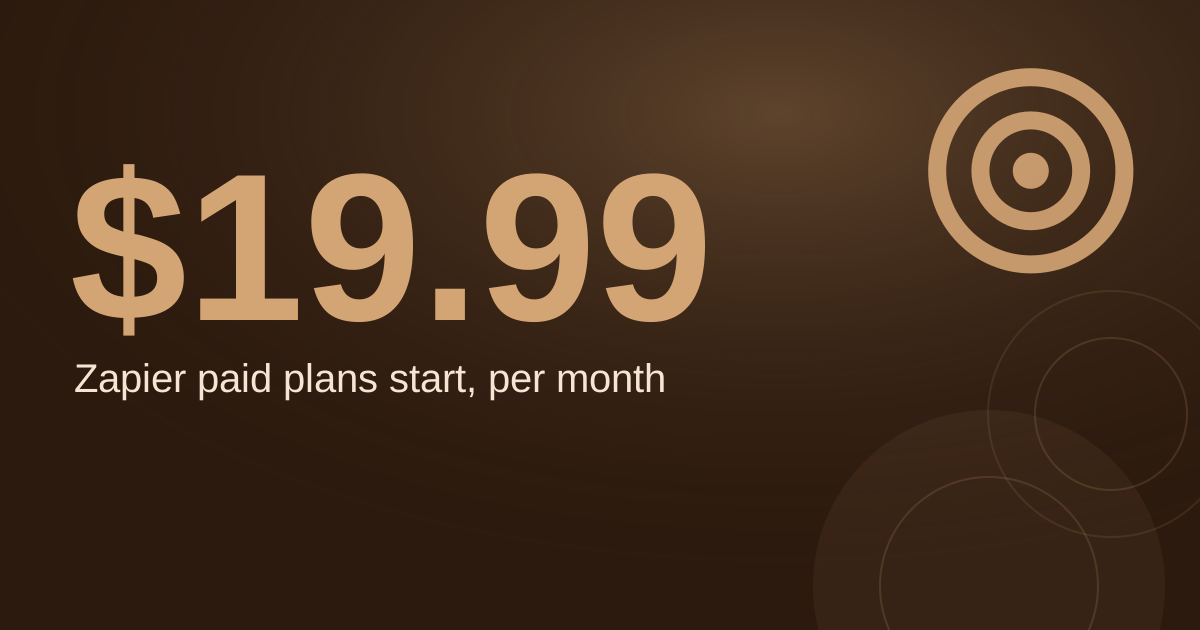
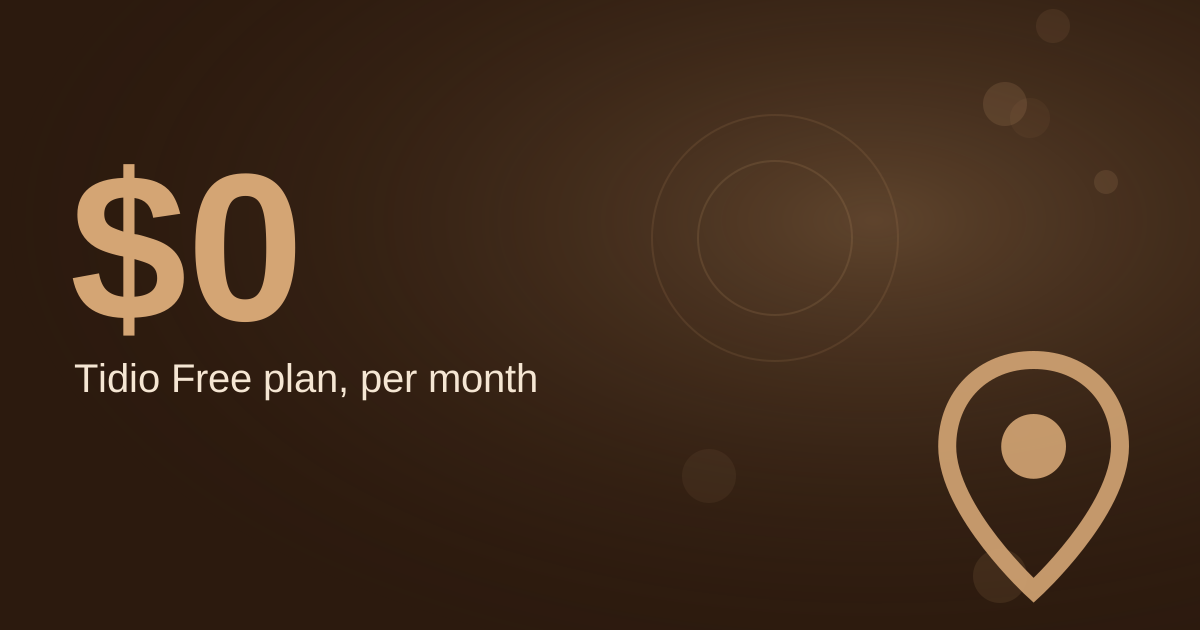
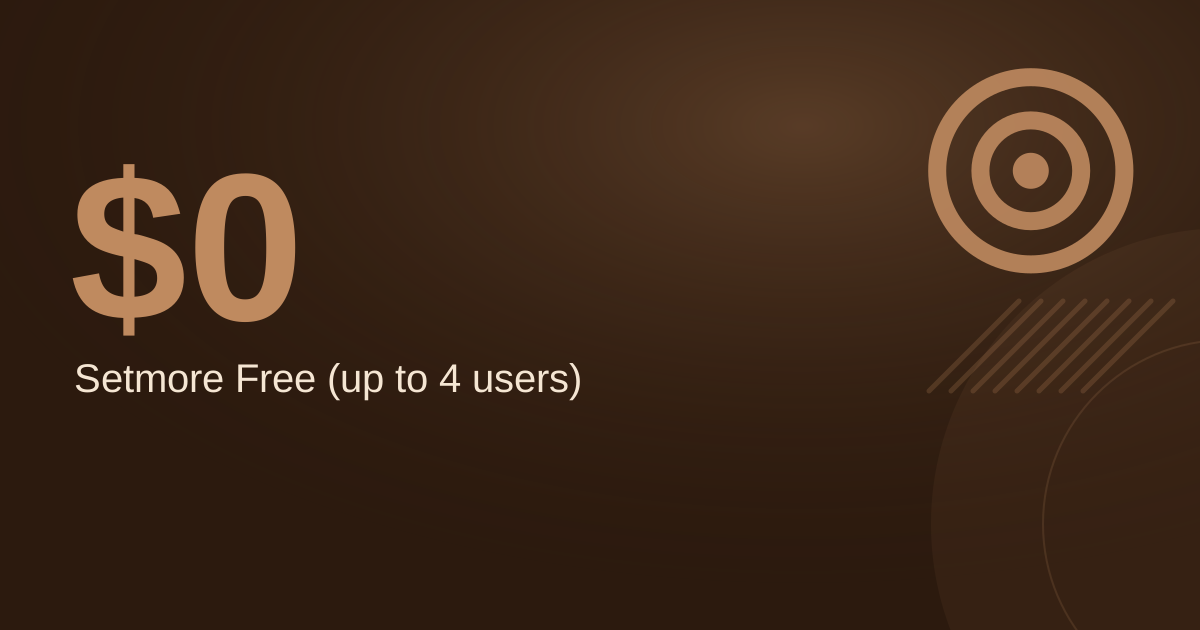
Tool prices change often, so check each vendor's current pricing page before you commit. The more useful question is how many staff hours the tool frees. The example below uses assumption-labelled inputs. Replace them with figures from a week of your own messages.
- Assumption: 120 customer messages a week across chat, social DMs and texts.
- Assumption: 40% are routine questions the bot can answer, which is 48 a week.
- Assumption: 3 minutes of staff time per routine reply.
- Assumption: staff time is worth $25 an hour.
- Assumption: the tool costs $50 a month.
Calculation: 48 replies × 3 minutes = 144 minutes, or 2.4 hours a week. At $25 an hour that is $60 a week, or about $260 a month over 4.33 weeks. After the $50 tool cost, the net saving is about $210 a month. If the bot resolves only half the routine questions, the gross saving falls to about $130 a month and the net to about $80.
The calculation only counts if staff spend the freed hours on useful work. Without a plan for those hours, the saving is theoretical.
Where does the return come from once staff time is freed?
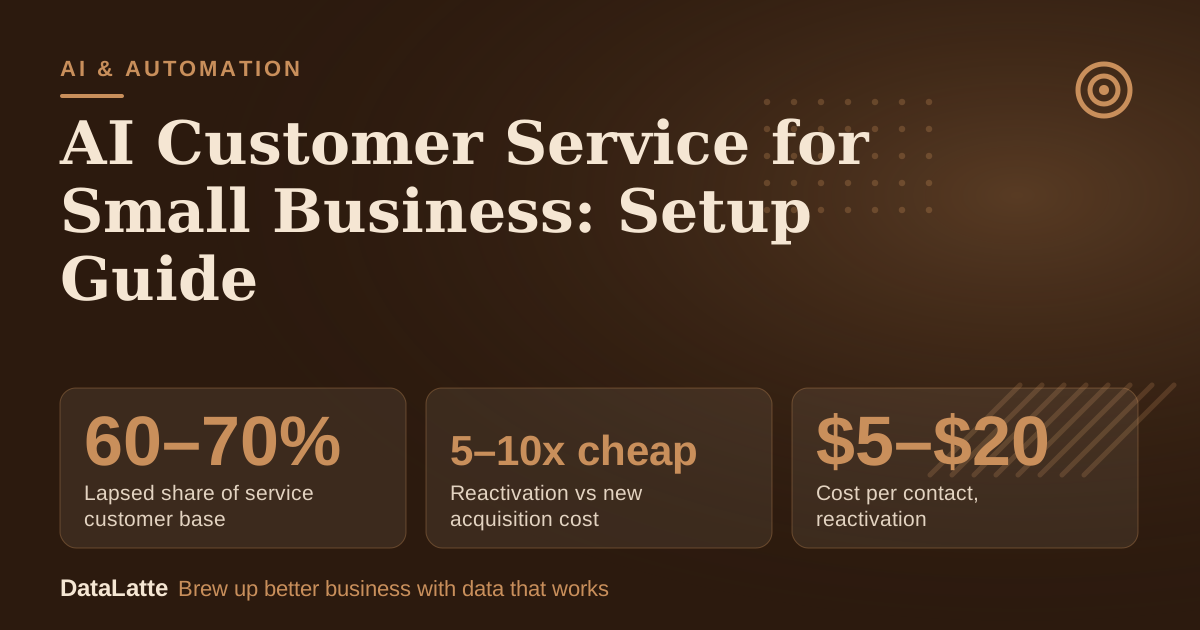
→
Lapsed share of service customer base
Vendor guide, typical service business
↓
Reactivation vs new acquisition cost
Vendor guide, per converted customer
↓
Cost per contact, reactivation
Vendor table, new acquisition $50–$200
↑
Conversion rate, reactivation
Vendor table, new acquisition 1–3%
See Sources at the end of the article. Cards marked Assumption are examples, not results.
These figures come from a vendor's guide to reactivation for service businesses, not from an independent study. They still point to where freed hours are worth most. The same guide says 60–70% of a typical service business's customer base is lapsed at any given time, and that reactivation campaigns typically cost 5–10x less per converted customer than new acquisition.
A bot can help with this work too. It can reply to a customer who answers a "we miss you" message at night, check availability and take a booking, while staff handle the conversations that need a person. Keep the reactivation list limited to customers who have actually lapsed, since a message to a current client adds little. For a comparison of tools that can run these sequences, see
best marketing automation for small business.
How do you set up AI customer service step by step?
Most setups take a few focused sessions rather than a project. Work through these seven steps:
- Export the last 30 days of customer questions from your inbox, texts and social messages, and group them by topic.
- Write one approved answer for each of the most common questions, with hours, prices and policies checked by the owner.
- Load the answers into the tool and connect the channel that receives the most questions first.
- Set escalation triggers for complaints, refund requests and any request for a manager.
- Test the bot with 20 real past messages and fix every wrong answer before going live.
- Match your hours and service area to your Google Business Profile.
- Read transcripts weekly for the first month and update answers whenever customers ask something new.
For a walk-through built around a food business, see
AI-driven customer service for local coffee shops.
When should a human take over, and what should the handoff say?
A handoff rule should fire on clear signals: a complaint, a refund request, a repeated failed answer, or a customer who asks for a person. The bot should say plainly that it is passing the conversation on, and it should not pretend to resolve something it cannot. Tell the customer when a staff member will reply, and use a time you can actually meet.
Send a notification to the owner or the person on duty with the full conversation attached, so nobody has to ask the customer to repeat the problem. Review the handoff log every week. If the same question keeps triggering handoffs, it belongs in the approved answers rather than on the escalation list. For more on designing that path, see
AI agent for customer service for local businesses.
Which channels should a small business start with?
For most small businesses, start with website chat, social direct messages and text. Those channels carry written questions that a bot can answer well. Phone calls need voice tools, which are a separate and usually more involved setup, so leave them for a later stage.
Social channels matter more over time. The Gartner forecast summarised by HubSpot expects many customer service interactions to happen on social channels (
HubSpot, secondary). Before choosing a tool, compare a general chatbot with a custom GPT, since the trade-offs differ, and check a shortlist in
best AI agents for small business in 2026. To see which of your current messages a bot could handle,
book a free audit.
FAQ
Will AI customer service replace my staff?
No. It takes over repetitive questions such as hours and prices, so staff can spend their time on bookings, complaints and repeat customers. Handoff rules decide which conversations reach a person, so keep that list short but firm.
How much does AI customer service cost for a small business?
Prices vary by tool and change often, so check the current pricing page for each option. Use the worked example above with your own message counts and staff time. The result shows whether the hours saved outweigh the tool cost for your business.
Can I use ChatGPT for free instead?
A general chatbot can draft answers, but it does not know your current hours or prices unless you supply them, and it does not pass conversations to staff on its own. A custom GPT or business chat tool takes more setup, and the trade-offs are covered in
custom GPT for local customer service.
Does AI customer service work for phone calls?
It can, but voice setups use separate tools and need more configuration. Start with text channels, where written questions are easier to automate, then decide whether calls justify the extra work.
Sources
- Google Business Profile support (Google, primary): verification methods and eligibility for businesses without a storefront.
- AI agents for social media, HubSpot (secondary): summary of the Gartner forecast on AI agents in customer service.
- The Complete Guide to Customer Reactivation for Service Businesses, Winback Engine (vendor guide): lapsed customer share, reactivation cost and conversion comparison.
Free for local businesses
Want this applied to your business?
I'll review your Google presence, local SEO, and ad accounts — and send you a specific action plan within 48 hours. No pitch, no pressure.