June 30, 2026·Nataliia Rumiantsewa· 8 min read All posts
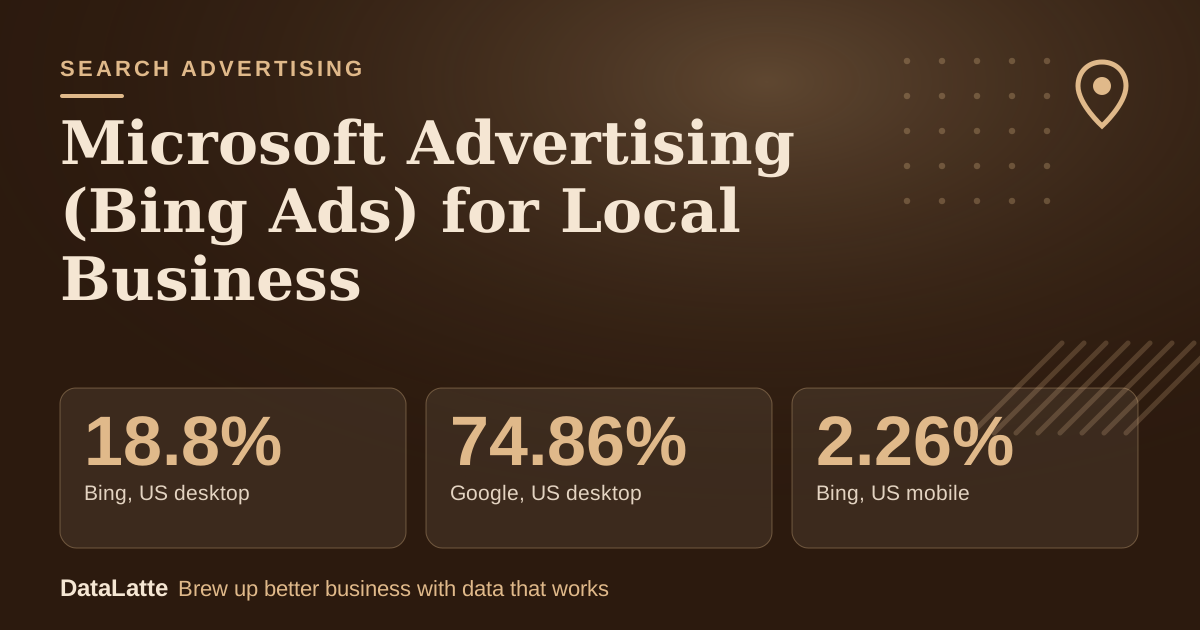
Microsoft Advertising (formerly Bing Ads) is worth a small, capped test once Google Ads and your Google Business Profile already produce leads. Bing has 18.8% of US desktop search but only 2.26% on mobile (Statcounter, October 2026), so it suits businesses whose customers search at a computer: home services, finance, professional services and B2B. Mobile "near me" businesses, such as cafés, usually get little from it.
No verified local cost benchmark for Bing is published, so treat any "Bing is X% cheaper" claim as a hypothesis. Judge the channel by cost per lead in your own account.
18.8%→
Bing, US desktop
Statcounter, Oct 2026
74.86%→
Google, US desktop
Statcounter, Oct 2026
2.26%→
Bing, US mobile
Statcounter, Oct 2026
94.12%→
Google, US mobile
Statcounter, Oct 2026
See Sources at the end of the article. Cards marked Assumption are examples, not results.
2.26%
On a phone, Bing is a rounding error: it holds 2.26% of US mobile search, against 18.8% on desktop
Statcounter, search engine market share, United States, October 2026. Statcounter counts Yahoo separately (3.98% desktop, 1.51% mobile), although Yahoo results come from Bing.
Statcounter Global Stats, 3 November 2026
How Big Is Bing Compared With Google?
Smaller everywhere, and much smaller on phones. In the US in October 2026 Google had 74.86% of desktop search and 94.12% of mobile search. Bing had 18.8% on desktop and 2.26% on mobile. Statcounter measures page views of search engines in the sites it tracks, not ad impressions, so it shows where searches happen, not how many ad clicks you will get.
Share of US search, October 2026
Google, desktop
74.86%
Bing, desktop
18.8%
Google, mobile
94.12%
Bing, mobile
2.26%
Illustrative estimate. Actual results vary by market and business.
The gap explains who should test. A plumber whose customers search at a work or home PC reaches a real slice of them on Bing. A coffee shop whose customers search on a phone while walking does not.
What Is Microsoft Advertising?
Microsoft Advertising sells search ads that show on Bing and on partner properties. Its import page names Performance Max, Audience ads, Merchant Center and Shopping campaigns among the campaign types that can be imported from Google, so the platform covers more than text ads.
Audience size varies by country and device. Your own Bing organic traffic in Google Analytics shows how many of your visitors already use it.
Who Should Test It?
Good fits:
Home services such as plumbing, HVAC, roofing and cleaning, where the customer researches a specific job.
Financial and professional services, such as accountants and insurance agents.
B2B local businesses reaching office-based buyers on desktop.
Weak fits are mobile-first, impulse-visit businesses like coffee shops, nail salons and gyms. For those, Google Maps and the Business Profile do most of the work, so start with Google Ads for coffee shops.
Watch Out
Do not move budget away from Google Ads or Meta Ads to fund a Microsoft Advertising test. Treat it as incremental money you can afford to lose.
Can You Import Your Google Ads Campaigns?
Yes. Microsoft's import page says you can import everything or only selected campaigns. Imported elements can include supported campaign settings, keywords, ad groups, ads and targeting settings, and the exact set varies by campaign type. Microsoft advises reviewing settings, bids, targeting, keywords and creative before launch, and says bids and budgets can be adjusted during import. Recurring imports are available to keep campaigns in sync.
A cautious way to use it:
Import only your best-performing campaign, not the whole account.
Set the budget during import so it does not copy your Google budget.
Skip recurring import at first, so changes you did not mean to make do not flow across.
Copy your negative keywords from the Google search terms report.
What Tracking Do You Need Before Spending?
A UET tag. Microsoft's Universal Event Tracking guide says UET is a prerequisite for conversion tracking and remarketing, that you create the tag once and add its code to every page of your site, and that a site-wide layout page is the best place for it. Conversion goals then define which recorded actions count, for example a lead form or a booking.
Set goals for calls, form submissions and bookings before the first click. Without them you only see clicks, and a click is not a customer.
How Do You Target a Local Area?
Microsoft's API documentation for the radius criterion shows that you can target a radius around a zip code, coordinates, landmark or area, with a radius of 1 to 500 miles or 1 to 800 kilometres. The companion location intent setting controls whether ads show to people in, searching for, or viewing pages about the location; the default is all three, and you can choose "people in" only.
For a business that serves one area, choose the "people in" option, set the radius from the postcodes of recent customers and review the locations report weekly.
How Much Does Microsoft Advertising Cost?
It is pay-per-click, and prices depend on keyword, location and competition. Microsoft's pages used for this article publish no recommended local budget and no average click price, and no verified local benchmark for Bing exists. Use the keyword planner in the account, then decide a maximum total test spend before you start.
A small account needs several weeks of data, so pick a daily budget you can sustain for four to eight weeks. The worked example below shows why cost per lead, not cost per click, is the figure to compare.
What Does a Test Look Like in Numbers?
Every input below is an assumption for illustration, not a benchmark. The point is the arithmetic: a cheaper click does not guarantee a cheaper lead.
Google (baseline)
Bing: weak
Bing: base
Bing: strong
Monthly budget (assumption)
$1,000
$300
$300
$300
Cost per click (assumption)
$5.00
$4.50
$3.50
$3.25
Clicks
200
67
86
92
Click-to-lead rate (assumption)
8%
5%
6%
8%
Leads
16.0
3.3
5.1
7.4
Cost per lead
$62.50
$90
$58
$41
In the weak column Bing clicks are 10% cheaper, yet each lead costs 44% more. With three to seven leads a month, one week can swing the result, so wait for around 15 leads before deciding.
Cost per lead in the worked example (assumption)
Assumed inputs from the table above, not measured data.
How Does It Compare With Google Ads and Meta Ads?
Microsoft Advertising
Google Ads
Meta Ads
Intent
Search intent
Search intent, largest volume
Interruption and discovery
Audience
Smaller, desktop-weighted (Statcounter)
Largest search audience
Large social audience
Competition
Check in your account
Highest
Varies
Best for
Home services, finance, B2B tests
Capturing most local demand
Awareness and retargeting
Priority
Test after foundations
Foundation channel
Foundation for visual businesses
For most local businesses, Google Ads and Meta Ads stay the foundation. See the Meta Ads service and the guide on Meta Ads budgets.
How Do You Read the Results?
Compare, after four to eight weeks:
Cost per lead or booking against your Google figure.
Lead quality: do Bing leads close at a similar rate?
Device and time-of-day patterns, such as weekday office hours on desktop.
Whether the leads are additional or people who would have found you on Google anyway.
Write the rule down first. One example (an assumption, not a standard): keep Bing if cost per lead is within 20% of Google's after 15 leads, and stop if it is worse. A failed test still tells you your audience is on Google.
Should You Also Work on Organic Bing?
It costs nothing in ad spend. Bing has organic results, and Copilot features draw on its index. Submit the site to Bing Webmaster Tools, keep your Bing Places listing accurate, and follow the same on-page basics as for Google. See how to show up in Bing Copilot, the Microsoft Audience Network guide and the cost-focused Bing Ads article.
FAQ
Is Microsoft Advertising worth it for small local businesses?
It depends on whether your customers search on desktop. With 18.8% of US desktop search and 2.26% of mobile search (Statcounter, October 2026), it suits home services, finance and B2B more than mobile-first shops.
How much does Microsoft Advertising cost?
It is pay-per-click and prices vary by keyword and market. No verified local average is published, so set a capped test budget and measure cost per lead.
Should I use it instead of Google Ads?
No. Keep Google Ads and your Google Business Profile as the base and treat Bing as a supplementary test.
Can I import my Google Ads campaigns?
Yes. Microsoft says you can import all or selected campaigns, then should review settings, bids, targeting and keywords before launch.
Do I need a tracking tag?
Yes. Microsoft's documentation calls UET a prerequisite for conversion tracking and remarketing.
Local marketing strategist with 10+ years at global agencies — OMD, Dentsu, GroupM, and BBDO. Now helping small businesses get the same data-driven edge. Based in Europe, working with clients in the US, UK, Australia, and beyond.