DataLatte☕
AI & Automation

Marketing Automation for Hair Salons: Costs and Payback
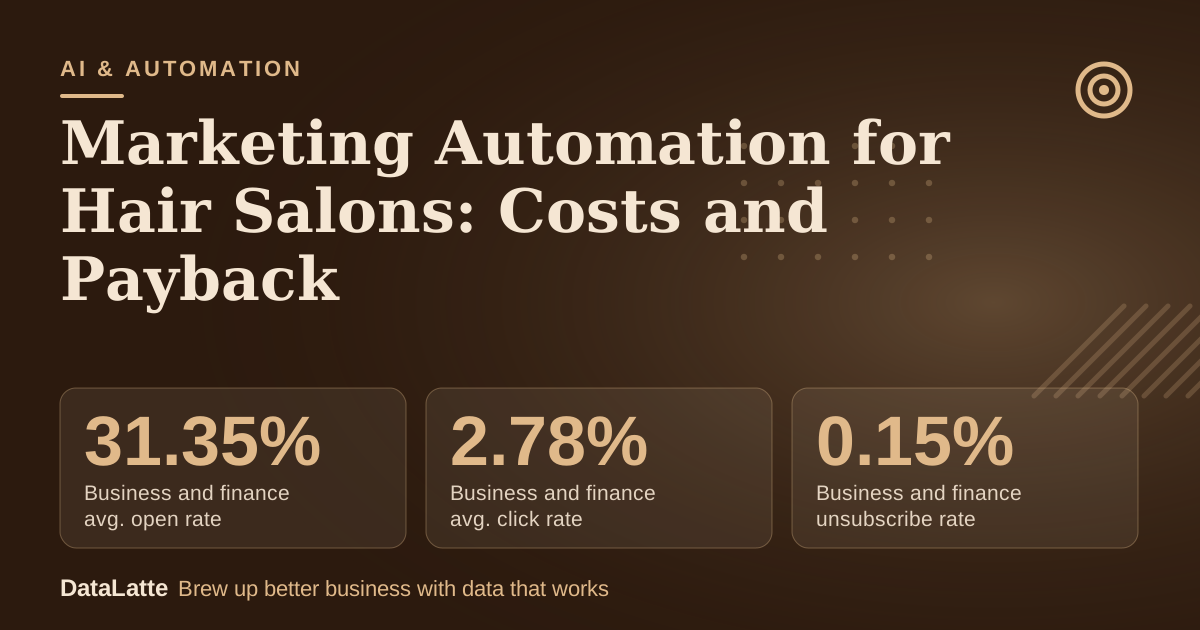
Infographic: Marketing Automation for Hair Salons: Costs and Payback

Part of the guide: Hair Salon & Barbershop Marketing

May 17, 2026·Nataliia Rumiantsewa· 7 min read All posts
Marketing automation for a hair salon should start with appointment reminders, because a missed slot is revenue that cannot be recovered later. The sources checked for this guide contain no salon-specific no-show rates or software prices, so the payback case below rests on a worked example with labelled assumptions. The closest published benchmarks are email figures from Mailchimp. Its December 2023 data shows a business and finance average open rate of 31.35% and a click rate of 2.78%. These are a rough reference for automated messages, not a forecast for a salon.
31.35%→

Business and finance avg. open rate

Mailchimp data, no salon category

2.78%→

Business and finance avg. click rate

Mailchimp data, no salon category

0.15%→

Business and finance unsubscribe rate

Mailchimp data, no salon category

35.63%→

All users avg. open rate

Mailchimp data, all industries

See Sources at the end of the article. Cards marked Assumption are examples, not results.

Which salon messages are worth automating first?

Messages that protect existing bookings come first. A confirmation and reminder before each appointment targets the no-show problem directly. A review request follows, asking satisfied clients for a public rating after each visit. A win-back message to clients who have not rebooked comes last, once the contact list is clean.
Most salon booking tools already send reminders. Check that setting before adding a second tool, because duplicate reminders irritate clients and add cost without adding bookings. The table below sets out the four messages, what each is for, and how to judge whether it works.
MessageTimingMain measureEvidence in sources
Appointment reminderBefore each appointmentNo-shows per monthNo salon-specific figure
Review requestAfter each visitNew public reviews per monthNo sourced figure
Win-back messageTo clients not seen recentlyRebooked appointmentsNo sourced figure
Automated email campaignScheduled or triggeredBookings from the campaign, not open rate aloneMailchimp benchmarks, no salon category
Work through the messages in this order:
  1. Confirm that the booking software sends a reminder before each appointment.
  2. Add a review request after each visit, linking to the public profile.
  3. Send a win-back message only to clients seen in the last few months.
  4. Review results every four weeks and drop any message that does not earn its keep.
For a wider view of tool categories, see marketing automation for small business and the AI marketing tools for small business roundup.

Do email benchmarks apply to a hair salon?

Only loosely. Mailchimp's benchmarks come from campaigns sent to at least 1,000 subscribers. The data covers industries such as business and finance, non-profits, education and ecommerce. A salon has no category in that table, and most salon lists are far smaller than 1,000 contacts. The figures show the general range of email performance, but they do not set salon targets.
The same source warns that Apple's Mail Privacy Protection can affect open-rate figures. Open rate is therefore a weaker signal than bookings. For a salon, the number that matters is rebooked appointments, which can be counted directly in the calendar.

What could reminders recover? A worked example

Every input below is an assumption for illustration. Replace each one with your own figures.
  • Booked appointments: 200 a month (assumption).
  • Average ticket: $60 (assumption).
  • No-show rate: 10%, so 20 missed appointments and $1,200 of lost bookings (assumption).
  • Reminders reduce missed appointments by one third (assumption; no sourced salon figure is available).
  • Recovered appointments: about 7, worth roughly $420 a month at the average ticket.
  • Tool cost: $20 a month (assumption).
  • Net monthly gain at the assumed effect: about $400.
If the real effect is only half the assumed one, the salon recovers about 3 appointments, or about $200 a month. That still exceeds the $20 assumed cost. The result depends on the salon's own no-show count, so measure it before committing to a tool.

How do you measure whether reminders worked?

Count no-shows for four weeks before switching reminders on, then count again for four weeks after. Keep ticket size and staffing as steady as possible across both periods. Compare the difference in recovered appointments with the monthly software cost. If the gain is smaller than the cost, reduce the tool to reminders alone or stop it.
Record the numbers in a simple sheet with four columns: week, appointments booked, no-shows and rebookings. Four weeks is a short window, so treat the first result as a direction rather than proof. If the result sits close to the software cost, repeat the test before deciding.

Where does salon automation go wrong?

Automation fails most often when it reaches the wrong people. Win-back messages sent to clients who left years ago waste sends and can damage trust. Clean the list first and target recent visitors only.
Too many marketing messages cause the same problem. The Mailchimp guidance recommends no more than 9 words and 60 characters in a subject line, no more than 3 punctuation marks, and no more than 1 emoji. Those limits are written for email subject lines, but the principle of short, specific messages applies to any text a salon sends.
Finally, keep a human check. If a reminder fails to send, someone should notice before the appointment. Automation saves time, but it does not replace a daily look at the next day's bookings. For a broader comparison of AI-assisted options, see AI automation for hair salons.

FAQ

Is marketing automation worth it for a solo stylist?

It can be, if missed appointments cost at least one booking a month. Use the worked example above with your own ticket size and no-show rate to check the figure before paying for a tool.

Which benchmark should a salon track first?

Track rebooked appointments and no-shows, not open rates. Mailchimp's open-rate figures have no salon category and are affected by privacy changes to email opens.

Do I need a separate email or texting tool?

Not at first. Many salons can start with the reminders in their booking software. A separate email platform makes sense only once the contact list is large enough to message usefully. For a comparison of options, read the AI tools for small business marketing guide.

How long should I test before deciding?

Run the four-week before-and-after check described above. Four weeks gives an early signal, so repeat the test if the result is close to the software cost.

Sources

Next step

Businesses that want help measuring no-shows and setting up reminders can request a free audit. The audit reviews the current booking and messaging setup against the measures described above.

Free for local businesses

Want this applied to your business?

I'll review your Google presence, local SEO, and ad accounts — and send you a specific action plan within 48 hours. No pitch, no pressure.

hair salon marketingappointment automationsmall business automationno-show reminders

Want hands-on help?

See how DataLatte handles AI Agents & Automation for local businesses.

Learn more

✂️ Industry Guide

Hair & Salon Marketing Guide

View guide
Nataliia — local marketing expert
Nataliia Rumiantsewa

Local marketing strategist with 10+ years at global agencies — OMD, Dentsu, GroupM, and BBDO. Now helping small businesses get the same data-driven edge. Based in Europe, working with clients in the US, UK, Australia, and beyond.

Want this applied to your business?

Let's review your current marketing setup together — free, no obligations.

Get Your Free Marketing Audit