A pet groomer should automate four messages first: a booking confirmation with a reminder before the visit, a thank-you with a rebooking link after each groom, a review request sent to every client, and a short win-back note for clients who have lapsed. Most grooming booking software can send the first one. Each message protects the calendar or the repeat business, so start there before adding anything more complex.
This guide explains what to automate, which tools to check, the rules to watch for texts and email, and a worked cost example. Every example number is labelled as an assumption, and no results are promised.
→
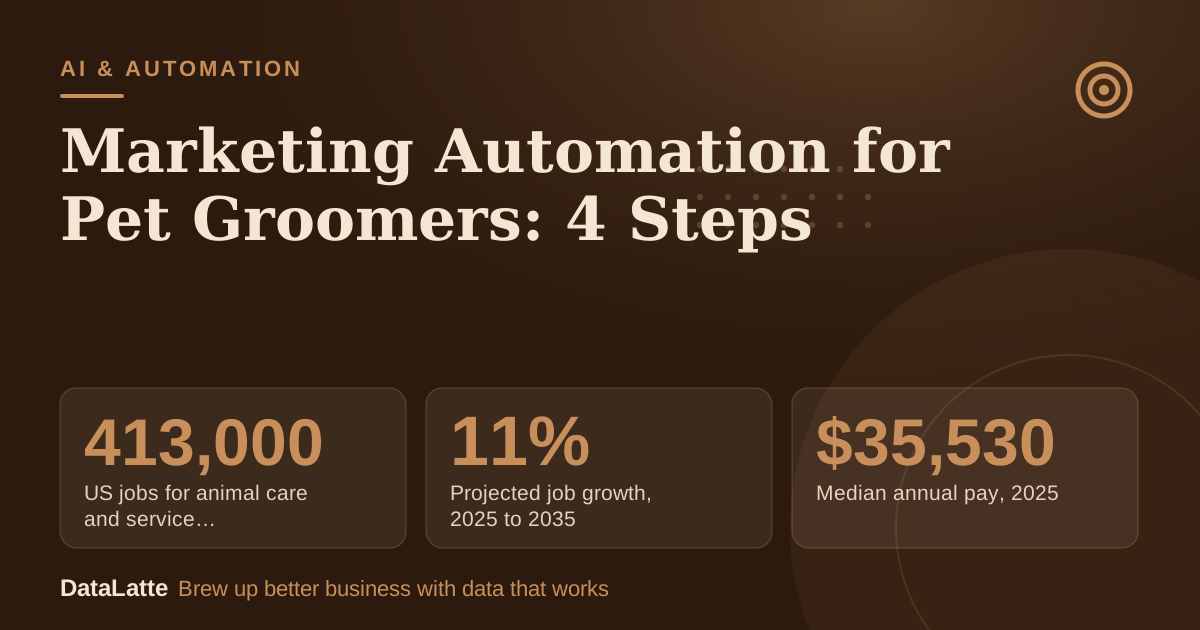
US jobs for animal care and service workers, 2025
BLS, primary
↑
Projected job growth, 2025 to 2035
BLS, primary
→
Median annual pay, 2025
BLS, primary
↑
Consumers who prefer personalized offers
Accenture via EnvisionNow, secondary
See Sources at the end of the article. Cards marked Assumption are examples, not results.
What Should a Pet Groomer Automate First?
Start with the messages that protect the calendar. A reminder before the visit reduces forgotten appointments, and a confirmation right after booking removes doubt about the time. These two messages handle much of the admin work without changing how clients are treated.
Next comes the message after the groom. Send a thank-you, a link to book the next visit, and a review request. The last automation is a short note for clients who have not booked in a while. The table below sets out a starting plan. The timings are assumptions to adjust for each shop's rebooking interval.
| Message | Trigger | Timing (assumption) | Owner |
|---|
| Booking confirmation | Appointment created | Immediately | Software |
| Reminder | Appointment in the calendar | 24 hours before | Software |
| Thank-you and rebook link | Appointment marked done | 2 hours after the groom | Software |
| Review request | Same trigger as thank-you | 1 day after the groom | Software |
| Win-back | No visit for the usual interval plus a margin | Once, then stop | Software, reviewed by the owner |
Skip anything that needs personal judgment, such as complaints, matted-coat decisions, or price disputes. Those conversations should stay with the groomer. For wording ideas, see
SMS marketing for pet groomers.
Booking software is usually the centre of grooming automation, because it already stores each client, pet and appointment. DaySmart's grooming software page states that its software lets users schedule services, track transactions, and communicate with clients automatically. That is a vendor claim, so test it with a trial account before relying on it.
When comparing tools, check five things: whether reminders go out by text, email or both; whether clients can reply or confirm; whether the wording can be edited; whether the review link is sent automatically; and whether a client who opts out can be removed from all sends. Pricing changes often, so confirm current prices on each vendor's site. For a wider comparison, see
best marketing automation tools for small business. Shops comfortable with no-code builders can also look at
how to use Make for salon marketing automation, since the same trigger logic applies to grooming.
What Legal Rules Apply to Texts and Email?
Consent rules for marketing messages differ by country. The four markets this site serves (the US, UK, Australia and Canada) each have their own regulators and rules. Treat this section as a checklist of practices to confirm, not as legal advice.
A practical baseline is to ask for consent when the client books, record when and how they agreed, and include a clear way to opt out in every marketing message. Stop sending marketing to anyone who opts out, and make sure the software applies that across all channels. Appointment reminders are often treated differently from promotional messages, so ask the vendor or a local lawyer how that split applies where the business operates.
How Do You Ask for Reviews Without Breaking the Rules?
Send one review request to every client after each visit. Avoid picking only the happy clients, and do not attach a discount or free service to the request. Selective requests can distort a rating, and incentives can break platform policies. Review-platform rules change, so check the current policy for the platform in use before setting up the sequence.
The request itself can be simple: a thank-you line, the review link, and one sentence on how to leave feedback. For the full workflow, see
AI agent for Google reviews management.
How Do You Automate Rebooking?
Rebooking is often the most valuable automation because grooming is a repeat service. Tie the first message to the visit: a note at the end of the groom with a link to book the next slot works well. Then add a second note near the interval the groomer usually recommends.
Set that interval from the shop's own appointment history, not from a generic rule. Clients with long coats and short coats may need very different intervals, so separate sequences can be run for each. For a broader retention plan, see
AI automation for hair salons, since many of the same booking steps apply to grooming.
Worked Example: Is the Software Worth It?
All inputs below are assumptions for illustration. Replace them with the shop's own numbers before deciding.
| Input | Value (assumption) |
|---|
| Software cost | $49 a month |
| Average groom price | $75 |
| Grooms needed to cover the cost | $49 ÷ $75, about 0.65, so 1 groom |
| No-shows avoided per month by reminders | 2 |
| Revenue from avoided no-shows | 2 × $75 = $150 per month |
At these assumed numbers, the avoided no-shows bring in $150 of revenue against a $49 cost. That is revenue, not profit, so subtract materials and time before calling it a gain. If the count of missed appointments does not fall after two months, the saving is zero, and the setup should be cancelled or changed.
To test this in a real shop, count no-shows and late cancellations over the last 30 days. Then compare the same counts for the 60 days after reminders are switched on, using the same calendar.
FAQ
Do I need to be technical to set up automation?
Some grooming software includes ready reminder templates. Turn them on, edit the wording so it sounds like the groomer, and send a test message to a personal phone before any client sees it.
Can automation replace talking to clients?
It handles repeat messages. Calls and personal replies should stay for complaints, health notes, and new puppies, because those need judgment.
Can a discount be offered for a review?
Avoid it. Attaching a reward to a review request can break review-platform rules, and the request should go to every client, not only happy ones.
How do I know the automation works?
Compare no-shows, rebooking rate, and review count for the 60 days before and after setup. Use the shop's own numbers, not a generic industry percentage.
Sources
Want reminders, rebooking and review requests set up for a grooming shop?
Book a free audit and DataLatte will review the current booking setup.
Free for local businesses
Want this applied to your business?
I'll review your Google presence, local SEO, and ad accounts — and send you a specific action plan within 48 hours. No pitch, no pressure.