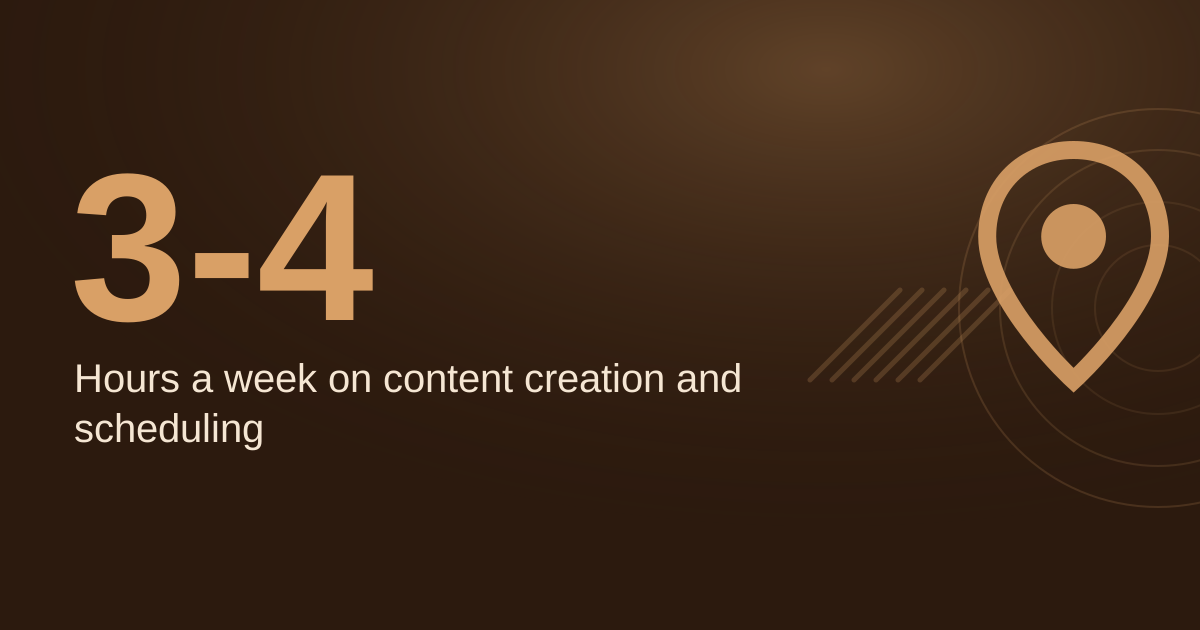
The best AI content tools for a local business are the ones that remove one real bottleneck, usually writing drafts, making graphics or planning posts. Start with one general AI assistant on its free tier, add a design tool only if you already make visuals, and keep a human approval step before anything goes live. Sources in this guide describe the same pattern: tools draft and speed up work, while a person edits and owns what is published. In the worked example below, cutting weekly content time from an assumed 3 hours to 1.5 hours saves about 6.5 hours a month.
→
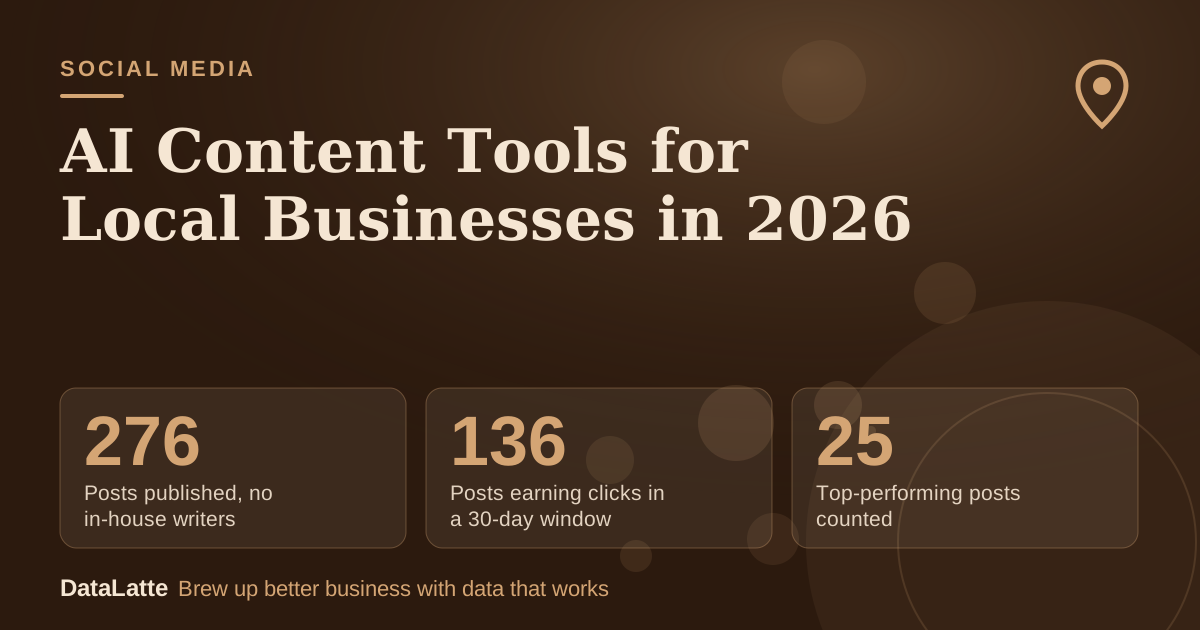
Posts published, no in-house writers
Approx. 12 months, vendor case study (secondary)
↑
Posts earning clicks in a 30-day window
Measured 30-day period, vendor case study (secondary)
→
Top-performing posts counted
Vendor case study (secondary)
↑
Organic clicks from those top posts
More than 3,600, vendor case study (secondary)
See Sources at the end of the article. Cards marked Assumption are examples, not results.
Source for these figures: a
specialty building-materials case study published by Frizerly, a vendor, so treat them as a single example rather than a benchmark.
What should a local business start with?
Start with the job, not the brand. An agency guide on AI for small business makes the point that many tools are free or low-cost, and the real question is which task is costing you the most time. Owners often know what to publish but cannot find the hours to do it, so a drafting assistant is usually the first place to look.
Text tools such as ChatGPT, Gemini and Claude can draft social posts, outline blog content, write product descriptions and build FAQ pages. The same guide notes that plenty of free versions exist, so there is no need to pay before you know the tool fits. Test one assistant for a month before adding anything else.
Pair the assistant with your existing
ChatGPT prompts for local business marketing so you are not writing each request from scratch.
The table below matches common content jobs to tool types and to examples named in the sources. The sources do not give verified prices, so none are listed here. Check each vendor's pricing page before you subscribe.
| Job | Tool type | Examples named in sources |
|---|
| Draft captions, posts, product copy | General AI assistant | ChatGPT, Gemini, Claude |
| Campaign graphics and visual posts | Design tool | Canva |
| Schedule posts to Facebook, LinkedIn, Instagram | Social scheduling agent | Frizerly (vendor) |
| Answer routine website questions | Chatbot trained on your information | Built into many web platforms |
| Call notes, follow-up, pipeline | Meeting-note and CRM tools | HubSpot (vendor) |
Most owners only need the first row plus whichever row matches their real bottleneck. Adding four overlapping subscriptions is the fastest way to waste the savings.
How does a weekly AI content routine work?
A repeatable routine matters more than the tool itself. An agency workflow service describes the same sequence: topics come from real customer questions, AI drafts, a person edits and approves, and then the piece is published. Use these steps as a starting checklist.
- Write down three real things from last week, such as a customer comment, a new service, a local event or a behind-the-scenes moment.
- Paste them into your assistant with your tone, your town and your current offer. Ask for three versions, one each for Instagram, Facebook and your Google Business Profile update.
- Edit each draft. Add one detail only you could know, and replace any generic phrasing.
- Check every price, opening hour and service claim against your website before posting.
- After four weeks, look at which posts drew replies, calls or visits, and ask the assistant for more of that kind.
For planning across a full month,
blog content strategy for local business covers topic selection in more depth.
What review rules keep AI content accurate?
Every workflow should include a human review step before publishing. One agency service states that AI drafts and accelerates, while a person edits, approves and owns what goes live. That is the rule to copy, because a draft that sounds confident can still contain wrong details.
Check names, dates, prices and service areas before posting. Generic filler is the second risk. Avoid generating many near-identical location pages, such as a separate "plumber in [town]" page for each suburb with only the name swapped. Write fewer pages that contain real details about your work.
Never use AI to write customer reviews or testimonials, even ones that sound plausible. Reply drafts are a different case: they can help, but a person should read each one before it goes out.
Chatbots and CRM automation are a later step. One agency source recommends building content operations first and adding automation only when the business is ready for it.
What does the time math look like?
Is a paid tool worth it? The example below uses assumed inputs. Replace the hours, weeks and hourly value with your own numbers, and enter your real tool cost from its pricing page.
| Line | Manual | With AI draft |
|---|
| Hours per week on content (assumption) | 3.0 | 1.5 |
| Weeks per month (assumption) | 4.33 | 4.33 |
| Hours per month | 13.0 | 6.5 |
| Value of your time per hour (assumption) | $30 | $30 |
| Time cost per month | $390 | $195 |
| Tool cost per month (assumption, check pricing page) | $0 | $20 |
| Total cost per month | $390 | $215 |
| Saved versus manual | n/a | $175 |
Break-even for a subscription is the tool cost divided by your hourly value. With the assumed $20 tool and $30 hour, that is 0.67 hours, or about 40 minutes a month. If a tool does not save you that much time, drop it.
The hours are the weakest part of this model. Time your current process for two weeks before trusting the 3-hour figure. If you already spend only 60 minutes a week, the savings will be smaller.
Saved time is only half the case. Check whether the business is getting better results from less effort. A commercial guide to AI marketing tools lists useful enquiries, average time to first response, and the share of enquiries with a recorded next step as the numbers worth tracking.
- Count useful enquiries or bookings that came from the posts or pages you produced.
- Track how long it takes to reply to a new enquiry.
- Note how many leads have a recorded next step.
- Compare visibility and inquiries month to month, not week to week.
If results drop after you start using AI drafts, use the saved hours to make each post more specific rather than publishing more of them. For a second opinion on your current setup,
book a free audit.
FAQ
Will AI make my content sound like everyone else's?
It can, if you publish the first draft. Give the assistant specific local details, then edit the result so it sounds like you. Adding one detail only you know to each post is the simplest fix.
Start with the free version of one general assistant for writing, and use Canva's free plan only if you need graphics. Review your time log after a month before paying for anything.
Do I need a human to check AI content before it goes live?
Yes. The agency workflows in the sources all include a defined human review step before publishing, because AI drafts can contain wrong details. Check prices, hours and service claims against your own website.
Can AI write my customer reviews or testimonials?
No. Write testimonials from real customers only. Use AI to help draft a reply to a review you received, and read it carefully before posting.
Sources
Prices were not confirmed from primary vendor pages in these sources, so none are quoted. Check each vendor's current pricing before buying.
Want the content work handled with a review step built in?
Get a free audit of your local marketing.
Free for local businesses
Want this applied to your business?
I'll review your Google presence, local SEO, and ad accounts — and send you a specific action plan within 48 hours. No pitch, no pressure.