A restaurant should verify its Google Business Profile, pick the most specific primary category, keep hours and special hours exact, add a menu and photos, link ordering and reservations, and answer every review. Google says local ranking rests on relevance, distance and prominence, and that nobody can pay for a better local ranking. The profile is free.
This guide covers independent restaurants and cafes in the US, UK, Canada and Australia. Figures come from Google's help pages and BrightLocal's 2026 survey of US consumers. BrightLocal's numbers cover local businesses in general, not restaurants only. Examples marked as assumptions are illustrations.
→
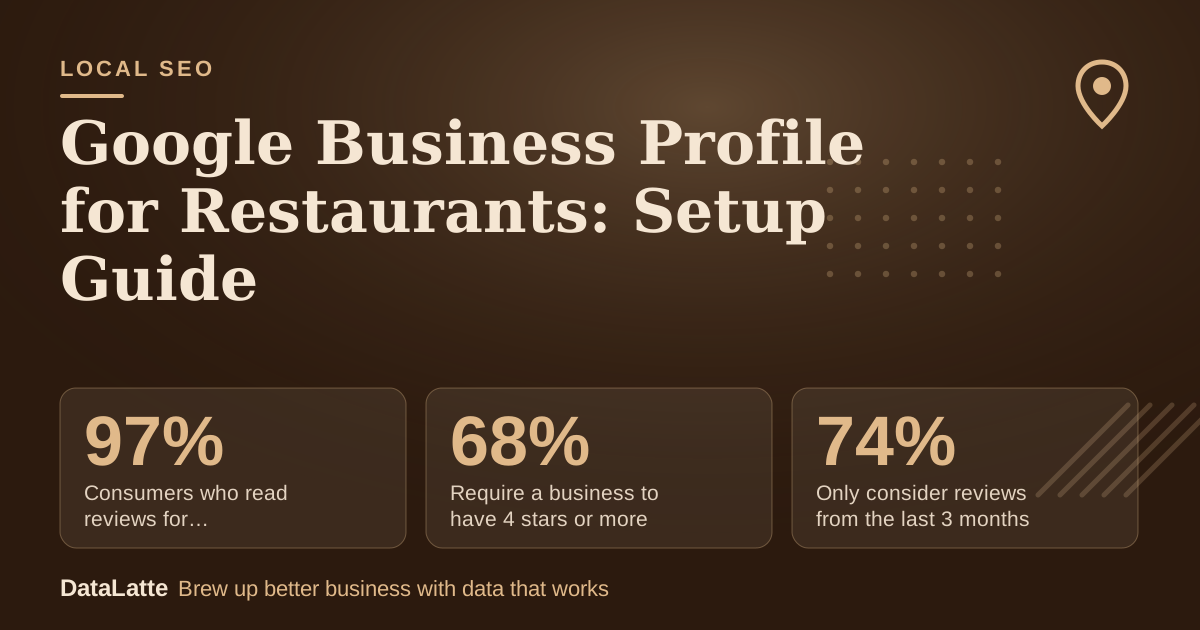
Consumers who read reviews for local businesses
BrightLocal 2026, US, n=1,002
→
Require a business to have 4 stars or more
BrightLocal 2026, US, n=1,002
→
Only consider reviews from the last 3 months
BrightLocal 2026, US, n=1,002
→
Countries with online ordering via the profile
Google: AU, CA, DE, JP, UK, US
See Sources at the end of the article. Cards marked Assumption are examples, not results.
What Does Google Use to Rank a Restaurant?
Google names three factors: relevance, distance and prominence. Relevance is how well your profile matches the search, and Google advises complete and detailed business information. Distance is how far you are from the searcher. Prominence covers how well known you are, including links to your site and review count and ratings.
You cannot change distance, so work on the other two. Google says "there's no way to request or pay for a better local ranking." Whitespark's 2026 expert survey (47 experts, 187 factors) scored the primary category first, proximity second and keywords in the business title third. That is expert opinion, not Google's statement. Our
Maps ranking factors guide compares the two.
How Should You Set Up the Basics?
Verify the profile first, because Google says verification makes it more likely you appear in results. Then:
- Choose the most specific primary category that describes the main business. You can add up to 9 more.
- Enter the name exactly as it appears on your signage.
- Set main hours and use special hours for holidays.
- Add dining and delivery options and contact details.
Google's guidelines tell you not to use categories as keywords or to describe features. A cafe that also serves dinner should pick the category that fits most of its trade and add the others as secondary ones.
How Do You Add a Menu and Photos?
Sign in to your profile and open the Menu section. Google's restaurant page says you can edit or add items there, and recommends updating when dishes change. Add photos of the menu and your best dishes so people can see what you serve.
Menu data is also a metric. Google's performance report lists Menus among the metrics that appear when they apply to your business. See our
analytics guide for how to read it.
Use photos of food you actually serve, so what customers see on the profile matches the plate.
How Do Ordering and Reservations Work?
Google says restaurants in Australia, Canada, Germany, Japan, the United Kingdom and the United States can work with online ordering providers to offer takeout and delivery from the profile. If you use one of Google's existing partners, it should appear on your profile automatically. You can set a preferred partner or turn ordering off.
For tables, Google points to Reserve with Google, which lets customers book a table or join a waitlist from the profile. Availability depends on your booking provider. Ask the provider whether it supports it before you pay for anything.
Third-party delivery links can show up without your input. Check your live listing in an incognito window, on mobile, once a month.
How Do You Handle Reviews?
BrightLocal's 2026 survey found 97% of consumers read reviews for local businesses, and 41% always do. It found 68% require at least 4 stars and 31% want 4.5 or more. It also found 74% only consider reviews from the last three months.
Recency means you need a steady flow, not a one-off push. Google lets you share a link or QR code that opens the review form. Customers must be signed in to a Google Account. Offering a discount, a free item or any perk in return for a review counts as fake and misleading content under Google's policy, so do not do it.
When you reply, keep it short and specific, and do not use replies to offer deals. For a complaint, acknowledge it and move the detail to phone or email. Do not share private information.
What Can You Post?
Google posts support Update, Offer and Event types, and Google archives them after 6 months unless dates are set. For a restaurant, an Offer with an end date or an Event such as a wine night fits. Posts about alcohol products fall under regulated content, so describe the event, not the product. Read our post types guide for the full rules.
If you also run paid search, the keyword research is a separate task: see
best Google Ads keywords for restaurants.
Worked Example: A 30-Day Setup Plan
All inputs are assumptions for a 40-seat independent restaurant. Nothing here is a benchmark.
| Week | Task | Time (assumption) |
|---|
| 1 | Verify profile, check category, name, hours, special hours | 1 hour |
| 2 | Add menu items and 15 photos of dishes and the room | 2 hours |
| 3 | Connect ordering and reservation providers, check the live listing | 1 hour |
| 4 | Print a QR code for the review link, reply to all open reviews | 1 hour |
That is about 5 hours. After that, assume 20 minutes a week for replies and photos. Check the profile's performance report at the end of the month and compare calls and direction requests with the month before.
FAQ
Is a Google Business Profile free for restaurants?
Yes. Google says you can create a free Business Profile to appear on Search and Maps. Ordering or reservation providers may charge their own fees.
Can I pay Google to rank higher in Maps?
No. Google states there is no way to request or pay for a better local ranking. Paid Google Ads are a separate product.
Sign in to your profile, open Menu, then edit or add items. Update it when dishes or prices change.
Which countries support online ordering through the profile?
Google lists Australia, Canada, Germany, Japan, the United Kingdom and the United States. Check your own dashboard to see which options appear.
Can I offer a discount for a Google review?
No. Google classes perks in exchange for reviews as fake and misleading content, and prohibits them.
Sources
All pages checked 1 November 2026.
Want your restaurant profile reviewed? See our
Google Business Profile service or
book a free audit.
Free for local businesses
Want this applied to your business?
I'll review your Google presence, local SEO, and ad accounts — and send you a specific action plan within 48 hours. No pitch, no pressure.